1080p Projector with 4K Input: Autofocus, WiFi & BT
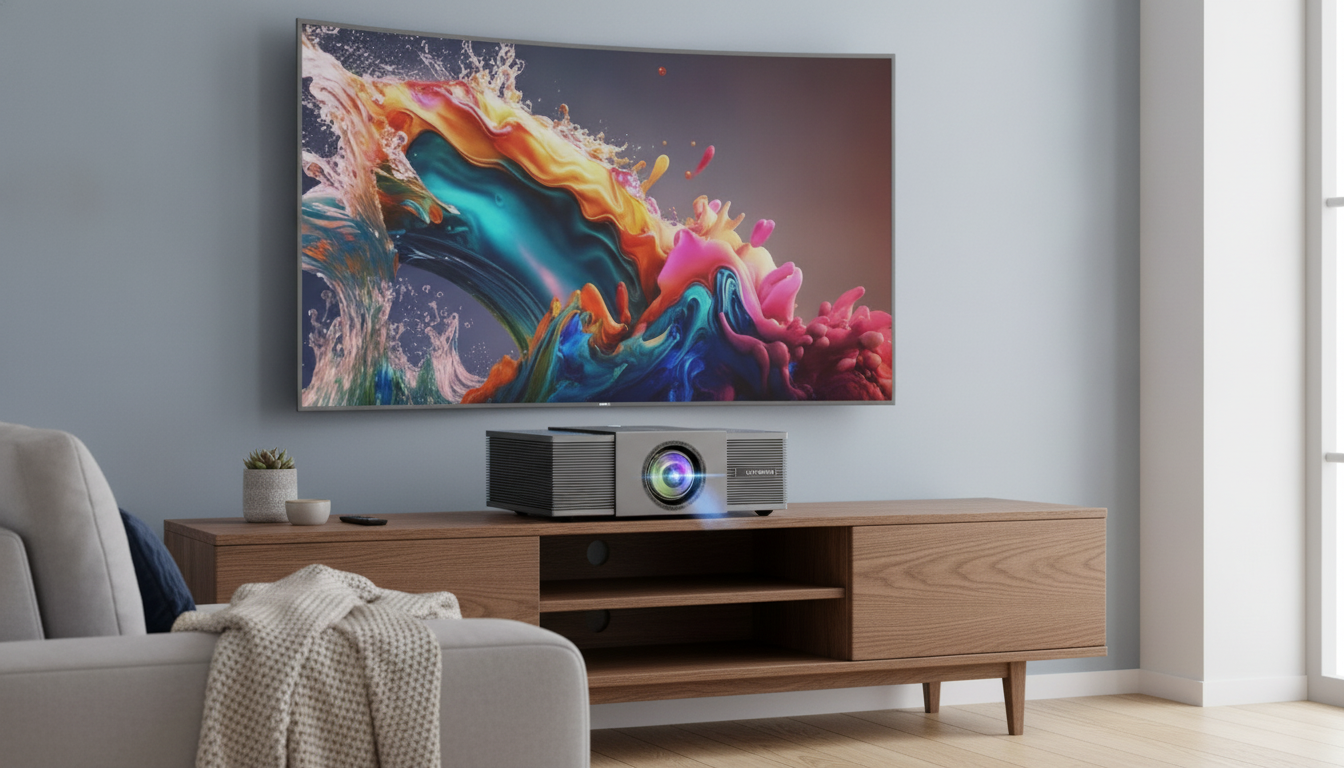
Native 1080P Home Theater Projector (4K Support) with Auto Focus, WiFi & Bluetooth: Setup, Performance, and Buying Notes
A home theater projector can feel effortless when focus, connectivity, and day-to-day usability are built in. This guide walks through what to expect from a native 1080P projector with 4K input support, auto focus, WiFi, and Bluetooth—covering real-room setup, picture tuning, audio options, and the details that matter before buying.
What This Projector Is Built to Do
This style of home theater projector is designed to make the “set it down and start watching” experience more reliable—especially for movie nights and multi-purpose rooms.
- Delivers a native 1080P image while accepting higher-resolution sources (often marketed as 4K support) from streaming devices and consoles.
- Auto focus reduces the constant manual tweaking that can happen when the projector moves or the screen distance changes.
- WiFi enables screen casting or network features (availability depends on device compatibility and apps used).
- Bluetooth supports wireless audio to speakers/headphones (and sometimes input from devices, depending on model implementation).
- Best suited for movie nights, sports, and casual gaming in dark-to-dim rooms; bright daylight viewing typically requires strong lumen output and screen control.
Quick Fit Check: Room, Screen, and Use Case
| Need | Why it matters | What to look for during setup |
|---|---|---|
| Room brightness | Ambient light washes out contrast and color | Use curtains/lights off; consider a screen with appropriate gain |
| Throw distance | Determines achievable screen size and placement | Measure projector-to-screen distance before mounting or placing on a table |
| Focus behavior | Auto focus can simplify repositioning | Test focus at corners and center after moving the projector |
| Audio plan | Built-in speakers vary widely | Decide: Bluetooth speaker/soundbar, wired audio, or AVR |
| Source devices | Streaming sticks and consoles set real-world performance | Confirm HDMI ports, audio out method, and casting needs |
Auto Focus and Image Alignment in Real Rooms
Auto focus shines when a projector gets moved: coffee table to shelf, packed for travel, or shifted between rooms. It can also help if different family members adjust the setup and you want a consistent baseline without fiddling with the lens every time.
- After auto focus runs, check edge-to-edge sharpness. If the center looks crisp but corners are soft, the issue is often angle/keystone rather than focus.
- Keep the projector as centered and level as possible. Heavy keystone correction can reduce effective resolution and introduce artifacts.
- If the unit offers digital zoom or digital keystone, use them minimally and prioritize physical placement (height, distance, and level).
- Clean the lens and confirm no protective film remains—light smudges can look like permanent haze in brighter scenes.
For the cleanest image, treat keystone as a “last step” correction, not the main way to fit the picture. A stable stand and a measured throw distance do more for sharpness than most menu settings.
Picture Quality Basics: 1080P Native vs 4K Input
“Native 1080P” refers to the actual resolution of the projector’s imaging system. “4K support” typically means it can accept a 4K signal through HDMI (or another input) and scale it down to 1080P for display. That still matters in practice: many 4K streams and discs come from higher-quality masters that can look cleaner even after downscaling.
To go deeper on screens and how gain affects perceived brightness and black levels, Projector Central’s screen primer is a solid reference: https://www.projectorcentral.com/projector_screens.htm.
WiFi and Bluetooth: What Works Smoothly (and What to Expect)
For a quick overview of HDMI capabilities and why cable quality can matter with higher-bandwidth sources, the HDMI Licensing Administrator’s specification pages are helpful: https://www.hdmi.org/spec.
Gaming, Sports, and Everyday Use
If you like seeing measured evaluations and test methodology for projectors, RTINGS maintains a clear testing framework: https://www.rtings.com/projector.
What Comes in the Box and What to Buy Alongside
If you plan to move your setup between rooms, a roomy carry option can help keep remotes, cables, and small accessories together. For general storage/transport needs, consider the Women’s Soft PU Leather Rivet Backpack Large Fashion Daypack. For a small digital extra that pairs well with relaxing movie nights, Shifting Seasons: Inspiring Quotes That Spark Life-Changing Moments (eBook) is also available.
Product Snapshot: Native 1080P 4K Home Theater Projector with Auto Focus and WiFi Bluetooth
At-a-Glance Details
| Item | Details |
|---|---|
| Product | Native 1080P 4K Home Theater Projector with Auto Focus and WiFi Bluetooth |
| Price | 558.01 USD |
| Availability | In stock |
| Product page | https://miragena.com/native-1080p-4k-home-theater-projector-with-auto-focus-and-wifi-bluetooth/ |
Common Setup Checklist (10 Minutes)
FAQ
Does 4K support mean the projector displays true 4K?
No—native 1080P means the projector’s display panels are 1920×1080, while “4K support” usually means it can accept a 4K signal and scale it down. A 4K source can still look cleaner because the master may have better detail and compression, even when displayed at 1080P.
How can lip-sync delay be reduced when using Bluetooth audio?
The most reliable fix is using wired audio or HDMI into a receiver/soundbar, which minimizes latency. If Bluetooth is required, enable any low-latency/game mode, reduce extra video processing (like motion smoothing or heavy keystone), and use available audio delay controls to re-sync.
Why does the image look sharp in the center but blurry in the corners?
This is commonly caused by alignment rather than focus—an angled projector, uneven screen surface, or strong keystone correction can soften corners. Re-level and re-center the projector, reduce keystone, clean the lens, then re-run auto focus and check corner sharpness again.














Leave a comment